What Counts as a Policy-Violating Review: Report & Remove
A policy-violating review is one that breaks a specific rule under Google’s Maps User-Generated Content Policy : fake engagement, incentivized reviews...
TL;DR:
- Policy-violating reviews break specific Google content rules such as fake engagement or harassment and should be reported immediately. Effective removal is more likely when reports include detailed evidence like timestamps, account histories, and screenshots, and when categories match review patterns accurately. When self-reporting fails or reviews involve threats or legal issues, attorney-led services like Repvive can help remove difficult cases through direct channels.
A policy-violating review is one that breaks a specific rule under Google’s Maps User-Generated Content Policy: fake engagement, incentivized reviews, conflicts of interest, harassment, off-topic spam, or privacy violations. If a review matches any of those categories, document it and report it immediately using Google Maps or your Business Profile dashboard.
Here are the fastest wins for removal:
- Identical or near-identical text appearing across multiple reviewer accounts within a short window
- Reviewer is a documented competitor or employee with a verifiable connection to your business
- Evidence of incentives offered (screenshots of discount offers, messages promising free goods for a review)
- No prior customer relationship combined with a suspiciously timed one-star post
- Reviewer account created the same day as the review with zero other activity
- Explicit threats, slurs, or personal identifying information visible in the review text
Pro Tip: Before you hit “report,” take a timestamped screenshot of the review and the reviewer’s public profile page. That evidence matters if the automated system rejects your first report and you need to appeal.
Table of Contents
- What counts as a policy-violating review: the full taxonomy
- What Google typically removes vs. what it will keep
- How Google evaluates flagged reviews and what evidence matters
- How to report a violating review step by step
- What to expect after you report: timeline and outcomes
- If Google won’t remove it: how to respond and limit reputational damage
- When to hire professional or attorney-led help
- Key takeaways
- The part most guides skip
- Repvive handles what Google’s self-service system can’t
- Useful sources
- FAQ
What counts as a policy-violating review: the full taxonomy
Google’s Maps User-Generated Content Policy organizes violations into distinct categories. Knowing which bucket a review falls into is the single most important step before you file a report, because the automated system matches your chosen category against the review’s content pattern.
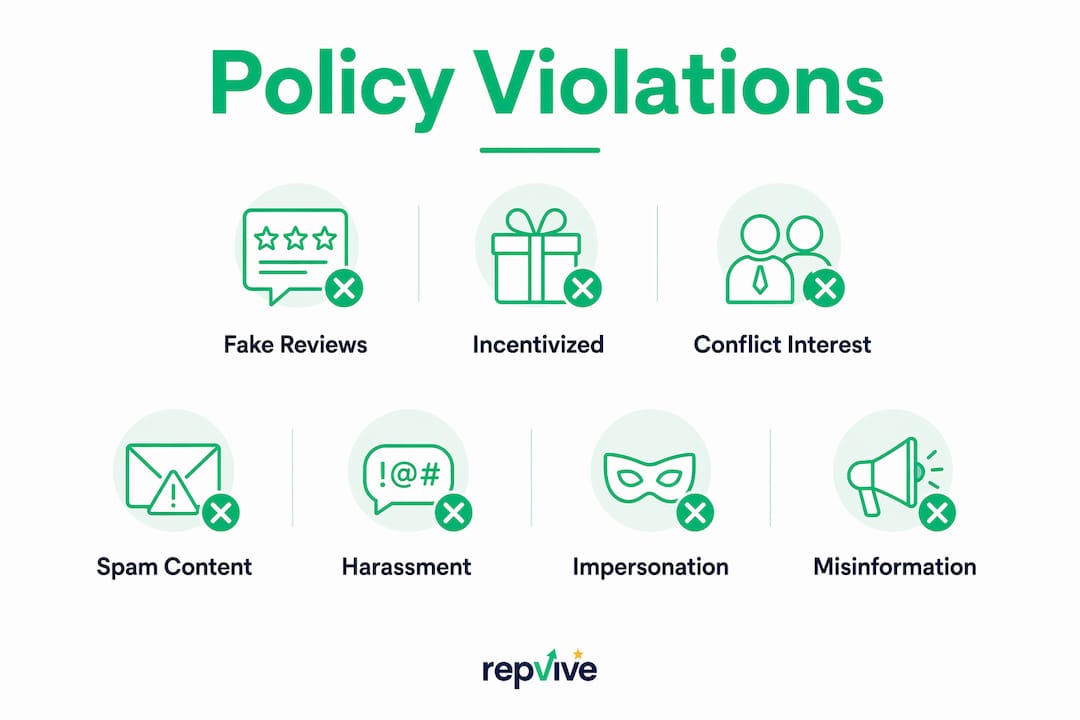
Fake or inauthentic reviews
These are reviews that don’t reflect a real customer experience. That includes reviews posted by people who never visited, reviews written by the business owner’s friends or family to inflate ratings, and reviews purchased from third-party services.

Red flags: Reviewer has zero other reviews, account was created within days of posting, review text is generic and could apply to any business in your category.
Does not qualify: A real customer who had a bad experience and wrote a harsh review. Harsh is not fake.
Rating manipulation and incentivized reviews
Offering discounts, free products, or any financial reward in exchange for a review is a direct policy violation. Google’s 2026 updates also clarified that in-store review kiosks and staff quotas that push customers toward specific review content are prohibited.
Red flags: Your own marketing materials or staff communications show review incentives. A competitor’s Yelp or social page advertises “leave us a review, get 10% off.”
Does not qualify: Asking customers to share honest feedback with no strings attached.
Conflict of interest
This covers reviews by current or former employees, business owners reviewing their own locations, and competitors deliberately tanking your rating. These violations can trigger warning banners, temporary unpublishing of all reviews, or full Business Profile suspension.
Red flags: Reviewer’s LinkedIn lists your business as their employer. Reviewer’s other reviews are all for your direct competitors. Sudden spike of one-star reviews after a public dispute with a rival.
Spam and off-topic content
A review that has nothing to do with the customer’s experience at your business falls here. Promotional posts for unrelated services, gibberish text, and reviews that clearly describe a different business entirely are all removable.
Red flags: Review text advertises a third-party product or service. Content describes an experience that matches a different address or business category.
Harassment, hate speech, and doxxing
Reviews containing slurs, threats, or personal identifying information (home address, phone number, personal photos) violate policy. So do reviews that target a person’s protected characteristics rather than the business itself.
Red flags: Review names a specific employee and includes personal details. Text includes explicit threats or discriminatory language.
Impersonation
A reviewer pretending to be a customer, a journalist, or even a Google employee to add false credibility to their post. This also covers fake business accounts created to manipulate ratings.
Red flags: Reviewer’s profile photo or name closely mimics a well-known local figure. Account has a suspiciously polished profile with no review history.
Misinformation and illegal content
False factual claims (not just opinions) and content that promotes illegal activity are removable. Stating that your restaurant “failed a health inspection” when no such inspection occurred is a factual falsehood, not a protected opinion.
Red flags: Review makes a specific, verifiable claim (license revocation, legal judgment) that you can disprove with documentation.
Here is a quick reference for the violation categories:
| Violation Category | Qualifies for Removal | Does NOT Qualify |
|---|---|---|
| Fake/inauthentic | No real customer relationship | Harsh but genuine opinion |
| Incentivized review | Reward offered for posting | Asking for honest feedback |
| Conflict of interest | Employee, owner, or competitor | Former customer with a grudge |
| Spam/off-topic | Unrelated promotional content | Negative but on-topic complaint |
| Harassment/doxxing | Slurs, threats, personal data | Strong criticism of service |
| Impersonation | Fake identity or persona | Real name, real experience |
| Misinformation | Verifiable false factual claim | Subjective negative opinion |
What Google typically removes vs. what it will keep
Google will not remove a review simply because it is negative, unfair, or damaging to your business. That distinction trips up a lot of owners and leads to wasted reports.
Google removes:
- Reviews from accounts with no real customer history and a pattern of targeting similar businesses
- Reviews that contain explicit threats, slurs, or personal identifying information
- Reviews that are clearly promotional content for a third party
- Reviews tied to documented incentive programs or staff solicitation schemes
- Reviews from verified employees or competitors
Google keeps:
- One-star reviews with no text (generally not a violation unless conflict of interest is proven)
- Negative reviews that describe a real, if unhappy, experience
- Critical opinions about pricing, wait times, or staff attitude
- Reviews that are unfair in tone but factually grounded
Borderline cases that confuse owners
A former employee who had a genuinely bad experience is a tricky one. The conflict-of-interest rule applies to current employees and owners, but a former employee writing about their work experience rather than a customer experience may still qualify under the conflict-of-interest category depending on context. Document the employment relationship and report under conflict of interest.
A one-star review with only an emoji is another gray area. On its own, it usually stays. If it appears alongside 15 other one-star emoji reviews posted in the same week from new accounts, the pattern shifts the report toward fake engagement.
Pro Tip: When a review could fit two categories, pick the one with the strongest, most documentable evidence. A report filed under “fake engagement” with a screenshot showing the reviewer’s account was created the same day as the post is stronger than a vague “harassment” report with no supporting evidence.
How Google evaluates flagged reviews and what evidence matters
Google’s enforcement runs on a two-tier system. The first pass is fully automated: pattern-matching algorithms scan the reported review against the category you selected. If the content pattern doesn’t match the chosen category, the system returns a “no policy violation” decision, often within a few hours. That’s not a final ruling on whether the review is actually bad. It’s a category mismatch.
If the automated pass flags a genuine pattern, or if you appeal a rejection, a human reviewer takes over. Human review takes longer and considers context the algorithm can’t easily parse.
Evidence that actually moves the needle
- Timestamped screenshots of the review and the reviewer’s public profile page
- Direct URL to the review and to the reviewer’s account
- Proof of non-customer status: booking records, transaction logs, or CRM data showing no interaction with that person
- Employment or competitor link: LinkedIn profile, staff directory, or social media showing the reviewer’s affiliation
- Pattern documentation: a spreadsheet or PDF showing multiple accounts with similar text, posting dates, and account ages
- Copies of incentive communications: screenshots of messages offering rewards for reviews, whether from your own past practices or a competitor’s
Pro Tip: Submit one focused report per review, matched to the single strongest violation category. A report that lists three possible categories reads as uncertain and is more likely to fail the automated check. Pick the best fit, attach the tightest evidence, and submit.
For coordinated attacks involving multiple fake accounts, you can also report the user profile directly in Google Maps, not just the individual review. That flags the account itself for broader review.
How to report a violating review step by step
Via Google Maps (mobile or desktop)
- Open Google Maps and search for your business.
- Scroll to the review you want to report.
- Tap or click the three-dot menu (⋮) next to the review.
- Select “Report review.”
- Choose the most accurate violation category from the list.
- Submit. Save a screenshot of the confirmation screen.
Via Google Business Profile dashboard
- Sign in at business.google.com.
- Navigate to Reviews in the left menu.
- Find the review and click the three-dot menu.
- Select “Report review” and choose the violation category.
- Submit and note the report reference if one is provided.
Reporting a user profile for coordinated abuse
In Google Maps, tap the reviewer’s name to open their profile. Tap More (⋮) > Report, then select the reason. Use this when a single account has posted multiple suspicious reviews across different businesses.
One-time appeal: If Google returns a “no policy violation” decision and you believe the review genuinely violates policy, you have one appeal. File it through the Business Profile reporting help page. The appeal escalates to a human reviewer and is final, there is no second appeal after that decision.
Always verify the violation category against the Maps User-Generated Content Policy before submitting. Mismatched categories are the leading cause of automated rejections.
What to expect after you report: timeline and outcomes
Filing a report does not mean the review disappears overnight. Here is what the process actually looks like:
- Automated evaluation: Usually completes within a few hours to a few days. You’ll see a status of “Decision pending” in your Business Profile dashboard.
- “No policy violation” decision: The most common outcome, especially when the category doesn’t match the content pattern. This is not necessarily the end.
- One-time appeal: Available immediately after a rejection. Escalates to a human reviewer. Timelines vary but can take one to several weeks.
- Human review decision: Final. If the human reviewer agrees with Google’s initial call, the review stays. If they find a violation, the review is removed.
- Anonymity: Your report is anonymous. The reviewer is not notified that you flagged their review.
- Algorithmic sweeps: During confirmed spam attacks, Google’s automated systems may temporarily unpublish all reviews on your profile, including legitimate ones. If this happens, contact Google support to restore valid reviews. Businesses have reported losing legitimate reviews during these sweeps and needing to work with support to recover them.
Pro Tip: Track every report in a simple spreadsheet: review text, date reported, category selected, current status, and appeal deadline. The Reviews Management Tool inside Business Profile shows report statuses. If a pattern of fake reviews continues after a rejection, the new evidence from additional posts strengthens your appeal or a fresh report.
If Google won’t remove it: how to respond and limit reputational damage
Sometimes a review stays live even when it feels deeply unfair. Your public response is the next line of defense, and it matters more than most owners realize. Prospective customers read responses. A calm, professional reply to a suspicious review signals confidence, not guilt.
Response approach for reviews you believe are fake
Keep it short. Acknowledge the review, note that you have no record of this customer’s visit, and invite them to contact you directly to resolve any concern. Never accuse the reviewer of being fake in your public response. That escalates publicly and rarely helps.
Example: “We take every experience seriously and have no record of this visit in our system. Please reach out to us directly at [contact] so we can look into this.”
Ethical review collection that stays within Google’s rules
Review-gating and incentivized solicitation are high-risk practices that can trigger profile-level penalties. Compliant collection means asking all customers for honest feedback with no pre-screening, no rewards, and no pressure. A simple follow-up text or email after a completed service is fully within policy.
For sector-specific guidance on building a compliant review program, online review best practices for your industry are worth reviewing before you set up any solicitation workflow.
Ongoing monitoring checklist
- Check your Google Business Profile reviews at least twice a week.
- Set up a Google Alert for your business name to catch off-platform mentions.
- Log any suspicious reviews immediately, even before reporting, to build a pattern record.
- Note account ages, posting dates, and review text similarities across flagged accounts.
- Keep a folder of screenshots organized by date for any future appeal or legal escalation.
Fake reviews also carry a direct SEO cost. Manipulated ratings affect your position in local search results, and a fake review impact on local rankings can be significant and lasting if left unaddressed.
When to hire professional or attorney-led help
Self-reporting works for isolated violations. It stops working when you’re dealing with a coordinated attack, a legal dispute, or a pattern that Google’s automated system keeps missing.
Escalation triggers that warrant professional help:
- Three or more fake reviews posted within a short window that survive your initial reports and appeal
- Reviews that include personal threats, doxxing, or content tied to an active legal dispute
- A competitor is clearly orchestrating a review attack and you have documented evidence
- Your Business Profile has been suspended or flagged in connection with review activity
- A single review is causing measurable revenue loss and all self-service options are exhausted
What attorney-led removal looks like
Repvive’s process starts with a review of your specific situation, not a generic template. Their legal team builds a customized removal claim for each review, matching the precise policy violation to documented evidence and submitting through direct channels. There are no upfront fees. You pay only when the review is removed.
The documentation package typically includes the evidence you’ve already gathered plus a legal framing that makes the policy violation explicit to Google’s review team. That framing is what moves cases that self-service reports can’t crack.
Pro Tip: Before contacting any professional service, pull together everything you have: screenshots, report confirmation numbers, appeal outcomes, and any communications that show the reviewer’s identity or motive. That package cuts the intake process significantly and gets your case moving faster.
Key takeaways
A policy-violating review must match a specific Google Maps/User-Generated Content Policy category; negative opinions, no matter how unfair, are not removable without a concrete rule violation.
| Point | Details |
|---|---|
| Classify before reporting | Match the review to one specific violation category before filing; category mismatch is the top cause of rejection. |
| Evidence is the difference | Collect timestamped screenshots, reviewer profile URLs, and proof of non-customer status before submitting. |
| One appeal only | If Google rejects your report, you have one appeal that escalates to a human reviewer; make it count. |
| Honest negatives stay | Google keeps negative reviews that reflect a real experience; only documented policy violations qualify for removal. |
| Repvive for escalation | When self-reporting fails or attacks are coordinated, Repvive’s attorney-led removal service handles documentation and direct-channel submission with no upfront fee. |
The part most guides skip
Most articles on this topic tell you to “report the review and wait.” That advice is incomplete in a way that costs business owners real money.
The single most common mistake I see is owners filing reports under “inappropriate content” because it sounds like a catch-all. It isn’t. Google’s automated system is looking for a specific pattern match between the category you select and the signals in the review. “Inappropriate content” is vague. “Fake engagement” with a screenshot showing a day-old account and identical text to three other reviews is specific. That specificity is what gets the automated system to pass the case to a human.
The second mistake is treating the appeal as a formality. It isn’t. The appeal is your one shot at a human reviewer, and it’s final. Owners who burn it with the same weak evidence they submitted the first time lose their only escalation path inside Google’s system. Save the appeal for when you have something new: a LinkedIn screenshot proving employment, a booking system export showing no transaction, a pattern document showing five accounts with the same text.
One more thing worth saying plainly: Google will not remove a review because it hurt your feelings or cost you a customer. That’s a hard truth, but accepting it early means you spend your energy on the cases that actually qualify. For the ones that don’t, a calm public response and a strong review collection program do more for your reputation than a rejected report.
When you’ve exhausted the self-service path and the review is genuinely damaging and genuinely violating, that’s when attorney-led removal earns its place. Not as a first step, but as a final one.
Repvive handles what Google’s self-service system can’t
When a fake or harassing review survives your report and appeal, the problem isn’t that Google doesn’t care. It’s that the self-service system has hard limits, and coordinated attacks or legally complex cases routinely exceed them.
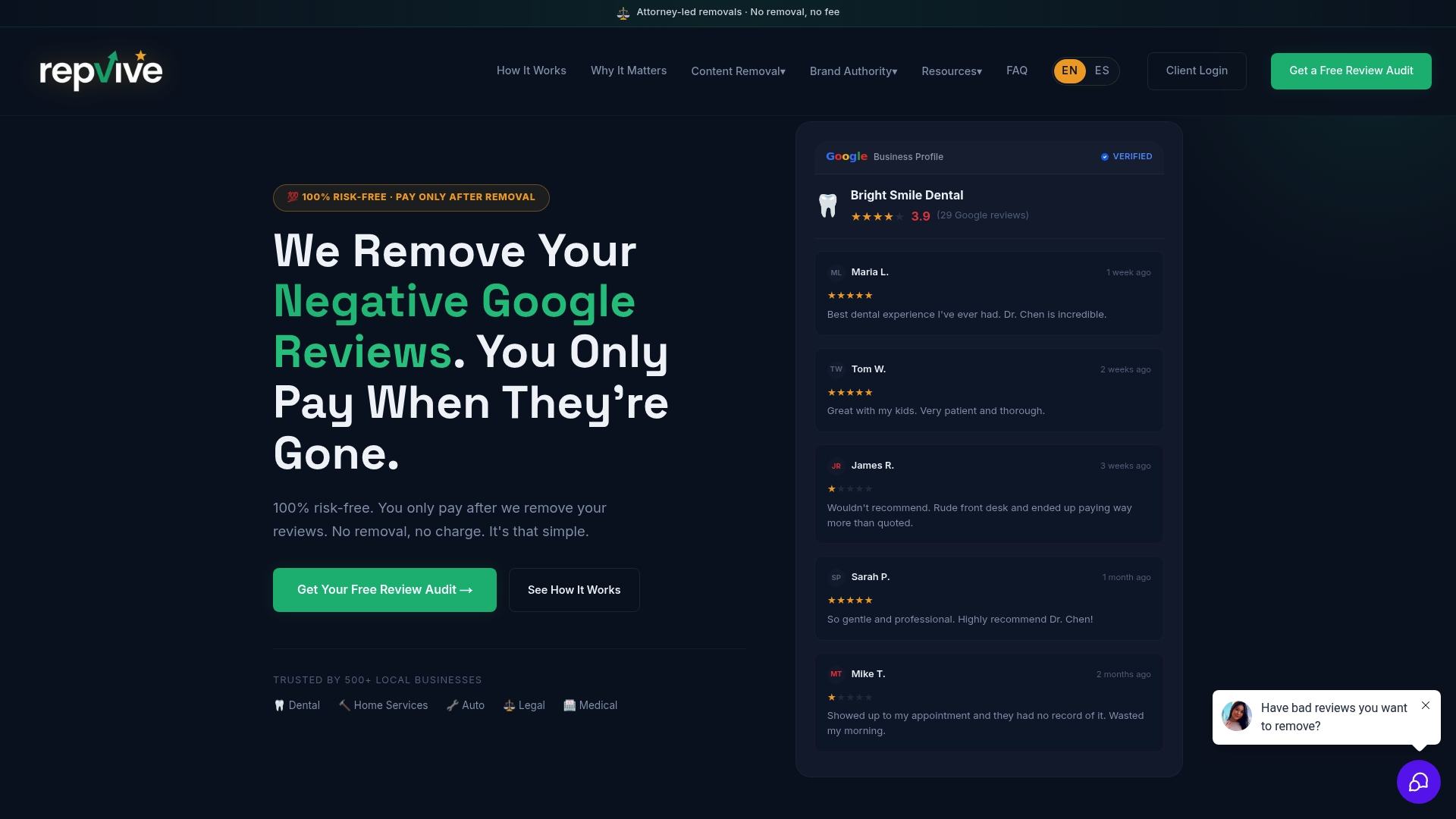
Repvive’s review removal service is built specifically for those situations. Their attorneys analyze each review individually, build a customized claim tied to the exact policy violation, and submit through direct channels that bypass the standard reporting queue. No upfront fees. No generic templates. If the review isn’t removed, you don’t pay.
The service is appropriate when you’re dealing with coordinated fake review attacks, doxxing, threats, or reviews connected to a legal dispute. It’s also the right call when a failed appeal has closed your self-service options and the review is actively damaging your local search visibility.
Start with a free Google Profile audit to find out which reviews on your profile are actually removable and whether your situation meets the criteria for attorney-led escalation.
Useful sources
The sources below are organized by type: official Google policy pages first, then high-value explainers.
| Source | Type | What it covers |
|---|---|---|
| Maps User-Generated Content Policy | Official Google policy | Full list of prohibited review behaviors and content rules |
| Report inappropriate reviews (Business Profile Help) | Official Google help | Step-by-step reporting UI, appeal process, and status explanations |
| FTC Final Rule on Fake Reviews | Official US regulation | Federal rule banning fake reviews and testimonials; legal context for US businesses |
| Fake review warning signs checklist | Repvive explainer | Red-flag signals for identifying fake reviews on your profile |
| Customized review removal claims guide | Repvive explainer | How attorney-led removal claims are built and submitted |
Official policy pages (the first two rows) are the authoritative source for what Google will and won’t remove. When in doubt about whether a review qualifies, check the policy language directly before filing a report.
FAQ
What Google reviews actually violate the policy?
Reviews that are fake, incentivized, posted by employees or competitors, contain harassment or personal data, or are completely off-topic violate Google’s Maps User-Generated Content Policy. Negative but genuine reviews do not qualify for removal regardless of how damaging they are.
What does “policy violation” mean for a Google review?
A policy violation means the review breaks one of Google’s specific content rules, such as fake engagement, conflict of interest, or harassment. It does not mean the review is simply unfair or inaccurate in your opinion.
Is it illegal to post a bad review on Google?
A bad review is not illegal on its own. However, a review that contains false statements of fact, threats, or personal identifying information may cross into defamation or harassment territory under US law, which is a separate issue from Google’s content policy.
Can you get sued for a bad Google review?
Yes. A reviewer who posts false factual claims (not just opinions) can face a defamation lawsuit in the US. The FTC’s 2024 rule also creates legal exposure for businesses that pay for or incentivize fake reviews.
When should you use a service like Repvive instead of reporting yourself?
Self-reporting is the right first step for most violations. Repvive’s attorney-led removal is appropriate when reports and appeals have failed, when the attack is coordinated across multiple accounts, or when the review involves threats, doxxing, or an active legal dispute.