48–72 Hours to 6 Weeks: Google Review Removal Timeline for Owners
48–72 Hours to 6 Weeks: Google Review Removal Timeline for Owners ! Decorative review removal timeline title card Most policy-violating reviews come down in a matter of days once you report them correctly, but the real answer depends on the case.
48–72 Hours to 6 Weeks: Google Review Removal Timeline for Owners
Most policy-violating reviews come down in a matter of days once you report them correctly, but the real answer depends on the case. Clear violations like spam or threats often clear in a few days. Ambiguous cases that need a manual look typically take up to about two weeks after an appeal. Legal escalations can run several weeks to a few months. The single best move right now: report it through the Reviews Management Tool inside your Google Business Profile, not the public flag button, and if Google denies it, get your evidence ready for the one-time appeal.
TL;DR:
- Reporting reviews through the Reviews Management Tool speeds up removal, with clear violations often resolved within 48 to 72 hours.
- Ambiguous cases or legal disputes generally take between 5 to 6 weeks, with some complex or older reviews stretching into months.
- Evidence that moves cases forward includes timestamped screenshots, transaction records, and patterns of coordinated attacks, not vague complaints.
- If a review remains stuck beyond two weeks, filing an appeal with new evidence or escalating through the community can push the process faster.
- For persistent or serious cases, attorney-led legal removals on a pay-per-result basis are available, with real-time dashboards reducing waiting uncertainty.
Table of Contents
- Step-By-Step: How to Report a Review the Right Way
- What the Removal Timeline Actually Looks Like by Case Type
- How to Track Status and Escalate When Nothing Moves
- What Evidence Actually Moves the Needle
- When Google Says No: Your Escalation Options
- What to Do While You Wait for Removal
- What I’ve Learned About Managing Expectations Here
- Skip the Waiting Game With Attorney-Led Removal
- Primary Sources for This Guide
- Sources
- FAQ
Step-By-Step: How to Report a Review the Right Way
Where you file the report matters almost as much as what you say in it. The public “flag as inappropriate” button on a review sits in a slower, more generic queue. Reporting through your Reviews Management Tool inside Google Business Profile routes your case to a business-specific review path, and that distinction shows up repeatedly in owner reports on the Google Business Profile Community.
Here’s the sequence that actually works:
- Sign in at business.google.com and open the “Reviews” tab for the correct location.
- Find the offending review and click “Report review.”
- Select the specific policy category it violates. Vague reports get vague results.
- Attach concise evidence: a screenshot with a visible timestamp, an order or appointment record, or a direct quote from the review that names the violation.
- Submit and note the date. You’ll need it to track how long the review sits at “Decision pending.”
What kills a report faster than anything else: replying to the review in anger, publicly begging the reviewer to take it down, or filing a report that stretches the truth about what happened. Google’s own reporting guidance makes clear that only content violating actual policy gets removed. Disliking a review isn’t a category.
Pro Tip: Quote the exact wording of the policy you’re citing directly in your report. A report that says “this violates the harassment policy because the reviewer threatens my staff by name” moves faster through review than one that just says “this is fake.”
If your report sits at “Decision pending” for more than 7 to 14 days with no movement, that’s your cue to start preparing for an appeal, not to keep waiting.
What the Removal Timeline Actually Looks Like by Case Type
Not every review moves through the system at the same speed, and understanding why saves you from checking your dashboard five times a day for no reason.
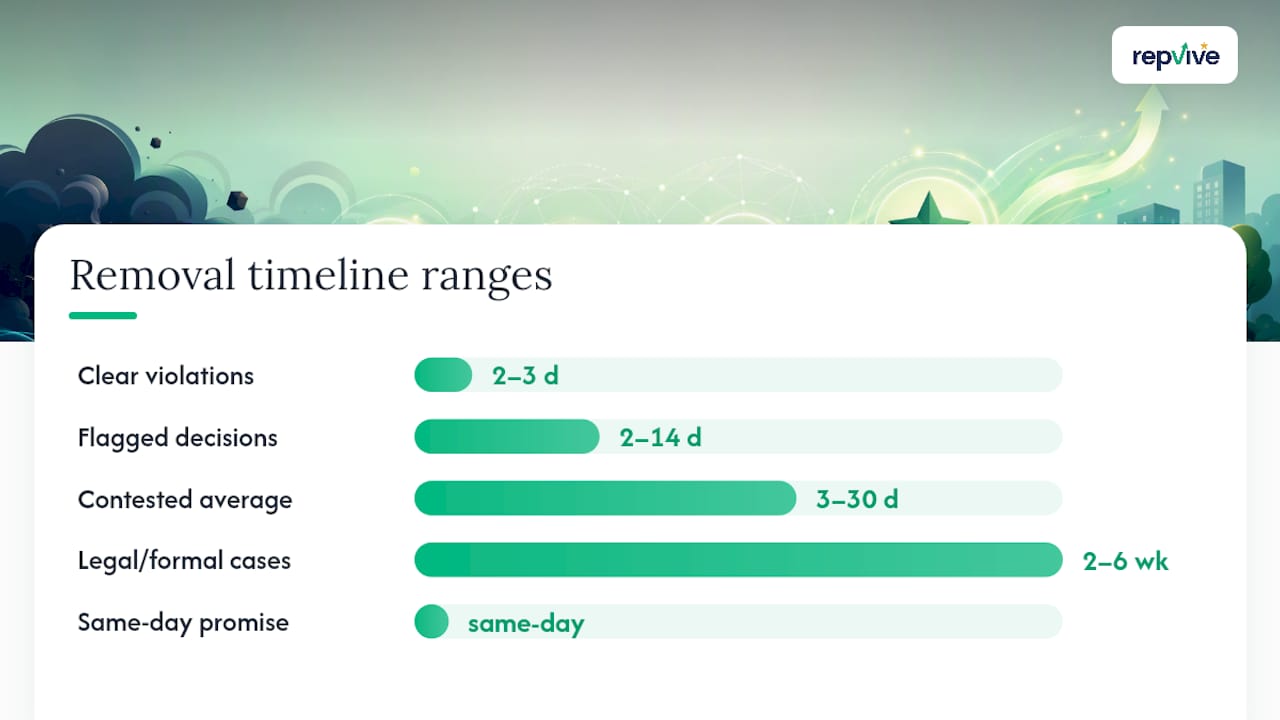
- Clear policy violations (spam, hate speech, explicit threats, off-topic rants): often resolved in 48 to 72 hours when reported with the right category and evidence.
- Manual appeals and ambiguous cases: expect 5 to 10 business days on top of your original report once you file the one-time appeal.
- Legal or formal removals: complex disputes involving defamation claims, court orders, or attorney involvement often run 2 to 6 weeks, sometimes longer depending on paperwork and legal review.
- Older reviews and coordinated attacks: these can stretch into months. Google deprioritizes stale content because the platform’s trust and safety teams weight recency and active harm higher than historical disputes.
Industry data lines up with this spread. One step-by-step removal guide reports that many flagged reviews get a decision in 2 to 14 days, with clean violations clearing fastest. Broader industry estimates put the full range at 3 to 30 days depending on how complicated the case is, and that number climbs when legal channels get involved.
The 3 to 30 day window is the honest average. Anything promising same-day removal for a contested review is overselling what the moderation process can actually deliver.
How to Track Status and Escalate When Nothing Moves
Your Reviews Management Tool shows a status label for every open report, and each one means something specific.
- Decision pending: still in the queue. No action needed yet unless it’s been over two weeks.
- Report reviewed, no policy violation found: Google looked at it and disagreed with your read. This is where the one-time appeal comes in.
- Escalated: your case moved to a specialist review team, usually after an appeal or community intervention. Expect this stage to add days, not hours.
If your status shows “no policy violation” but you believe the review still breaks a rule, use the one-time appeal rather than resubmitting the same report. A duplicate report with no new information rarely changes the outcome.
When the appeal also stalls, the Google Business Profile Help Community is your next stop. Posting there puts your case in front of Product Experts and moderators who can flag it to Google’s trust and safety team directly, a path that regularly moves stuck cases forward faster than repeated dashboard reports alone. Google also sends email updates once a case gets escalated, so check the inbox tied to your business account.
Attach your original report date, the policy category cited, and any evidence you haven’t already submitted when you escalate. A thin escalation request gets the same thin attention a thin report does.
What Evidence Actually Moves the Needle
Google’s reviewers aren’t investigators. They can’t verify your side of a dispute unless you hand them something concrete.
- Timestamped screenshots of the review, ideally captured the day it posted.
- Transaction records — order numbers, appointment confirmations, invoice dates — that prove the reviewer was never a customer.
- Communication logs showing the actual exchange, if the review misrepresents a real interaction.
- Pattern evidence for coordinated attacks: multiple similar reviews posted within a short window, duplicate account names, or near-identical wording across profiles. Point out the pattern factually. Don’t accuse anyone of a crime; let the pattern speak for itself.
Keep the evidence attached directly to the report or appeal form, quoted briefly rather than dumped as a wall of text. Reviewers move faster through a two-sentence claim backed by one clear document than a five-paragraph narrative.
Pro Tip: Save every screenshot and record in a dated folder the moment you spot a problem review, even before you file a report. If the case ever needs a legal escalation, that timestamped paper trail is what an attorney will ask for first.
When Google Says No: Your Escalation Options
A denial isn’t the end of the road. It’s a decision point.
- File the one-time appeal with new or clearer evidence. Repeating the same report a second time rarely helps.
- Legal removal routes exist for defamation, privacy violations, and copyright issues, and these follow their own timelines, often several weeks once documentation is filed correctly.
- Attorney-led removal services build a formal legal claim tailored to the specific review and typically work on a pay-for-performance basis, meaning you pay only if the review actually comes down.
- Community escalation through the Help Community remains available at any stage and can prompt human review faster than silence.
Watch for red flags before paying anyone for this work: guarantees with no evidence of a real process behind them, vague “trick” tactics that don’t reference actual policy, and upfront-only fees with no accountability for results.
Pro Tip: Ask any paid removal service one direct question before signing anything: “What happens if the review isn’t removed?” A legitimate pay-per-removal provider has a clean, immediate answer.
What to Do While You Wait for Removal
A pending report doesn’t mean silence in public. Post a short, neutral response to the review, factual and calm, with no accusations and no pleading. That single reply often does more for reader trust than the removal itself.
- Ask recent, genuinely satisfied customers for honest reviews to balance the profile while your case processes.
- Double check your business profile details are accurate. A stale hours listing or wrong phone number compounds the damage of one bad review.
- Set up ongoing monitoring so the next suspicious review gets caught and documented within hours, not weeks.
Long term, the fix is structural: request feedback privately before it ever hits a public page, and log any account behaving strangely the moment you notice it.
What I’ve Learned About Managing Expectations Here
Most reviews that genuinely break policy come down within days if you report them the right way the first time. A smaller share need real escalation, and that’s where cost and patience start competing. The honest calculation is simple: if a review is actively costing you customers every week it stays up, an attorney-led push is worth the spend. If it’s a minor irritation with low visibility, repair tactics and a calm reply might be enough while the appeal runs its course. Either way, keep your documentation clean and your public tone level. Both protect options you might need later.
— Jason
Skip the Waiting Game With Attorney-Led Removal
If you’ve reported a review, appealed it, and it’s still sitting there weeks later, Some services build a formal legal claim around specific reviews instead of resubmitting the same generic report Google already denied. These cases are tracked through a real-time dashboard so you can see exactly where they stand instead of refreshing your Business Profile every morning.
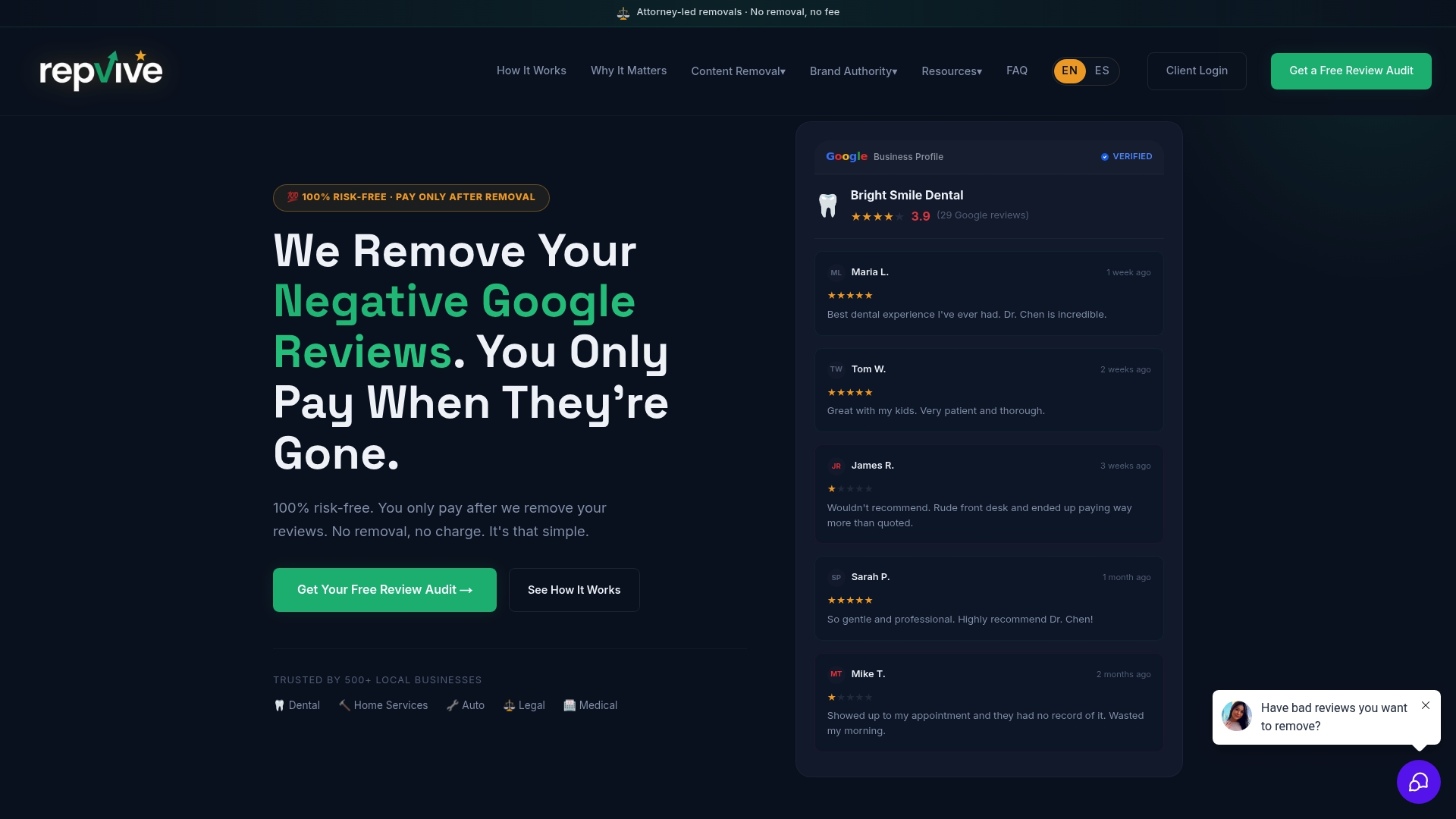
Some pay-per-removal models mean there’s no upfront fee. You pay only when a review actually comes down, which puts the risk on the provider’s side of the table, not yours. That’s a meaningful difference from services that collect a fee first and hope for a result later. If you’re weighing whether to keep escalating on your own or hand it to someone who does this daily, start with a free Google Business Profile audit to see exactly which reviews on your profile qualify for removal, or go straight to the review removal service page to see how the process works case by case.
Primary Sources for This Guide
For the procedural details in this guide, refer directly to Google’s own reporting and appeal instructions and the Business Profile Community thread tracking real owner timelines. For broader context on writing recovery content and managing search visibility during a dispute, see this guide to using AI for SEO.
Sources
- Review Removal Timeline - Google Business Profile Community
- Google Review Removal: A Step-by-Step Guide for Businesses
- Delete a Google Review: 2026 Procedure (What Actually Works) | Reepli
FAQ
How long does it take for a Google review to be removed?
Clear policy violations often clear in 48 to 72 hours. Ambiguous cases that require an appeal typically add 5 to 10 business days, and legal escalations can take 2 to 6 weeks or longer.
How can I get a Google review removed quickly?
Report it through the Reviews Management Tool in your Business Profile dashboard rather than the public flag button, select the exact policy category it violates, and attach a timestamped screenshot or transaction record.
How many 5 star reviews does it take to cancel out a 1 star review on Google?
There’s no fixed number. Google’s overall rating is a straight average of all star ratings, so the effect of new 5 star reviews depends entirely on how many total reviews your profile has.
How can I check the status of a Google review removal?
Open the Reviews Management Tool in your Business Profile and look at the status label next to your report: “Decision pending,” “Report reviewed, no policy violation,” or “Escalated,” each signaling a different stage in the process.
What if Google denies my review removal report?
File the one-time appeal with new or stronger evidence, and if that stalls, escalate through the Google Business Profile Help Community or consider an attorney-led removal service like Repvive for cases that need formal legal pressure.